
Continuing SUB Benefits after EI Disentitlement
Once it has been established that you don’t have enough insurable hours to qualify for EI, you must provide documented proof of EI Disentitlement from Service Canada for every 16-week period if you wish to continuously receive SUB benefits.
The company has and will stop SUB benefit payments, if they do not receive a EI denial letter from you after 16-weeks and will not re-instate SUB benefit payments until they receive the required denial letter.
Therefore, don’t unnecessarily put yourself in a financially difficult position. If you do not qualify for EI, re-apply for EI at least every 12-weeks. This will allow enough time for Service Canada to process your application and you to obtain the required EI Denial Letter and email to the company OEVCHELP@ford.com (note: ensure your Name first and last, GID# is with your documentation)
Helpfull Hint– Count 12-weeks from the date on your EI denial letter and mark it on a calendar to remind yourself to re-apply for EI.
(Example: You receive a EI denial letter in your My Service Canada Account dated July 7th -counting 12- weeks on a calendar you would re-apply for EI on or around September 30th. Mark this date on your calendar)
To obtain accurate information to show Employment Insurance disentitlement you will be required to register for a My Service Canada account if you have not already done so.
https://www.canada.ca/en/employment-social-development/services/my-account.html
IMP- Check your SUB Credits Balance
(for members with less than 20 years Seniority)
When should a member apply for IMP Benefits?
Once you have been:
Denied EI by Service Canada as you do not have enough insurable hours to qualify AND Exhausted ALL your SUB Credits, you are eligible to receive Income Maintenance Plan Benefits (IMP).
How will I know when my SUB Credits have been exhausted?
Your paystubs will show you how many SUB credits you have remaining so that you know when to begin to apply for IMP.
• You can view your paystubs on DayForce https://sso.dayforcehcm.com
- Company = FordHourly
- Username = GID (Employees GID)
- Password = YYYYMMDD {employee date of birth}
- Example: If Date of birth is 1/1/2001, password would be 20010101
or on Life@Ford. http://www.lifeatford.com
• The DayForce app will not show this SUB credit information.
• If you are not able to locate this information, you can call Employee Relations at (905)845-2511ext 3621, or email OEVCHELP@ford.com for more information.
Where do I apply for IMP Benefits?
The IMP application can be reached at the following site
https://azureford.sharepoint.com/sites/oevccare
This link takes you to the OAC Care home page.
Enter the site by clicking the picture of the OAC complex. Next you will see a box labeled “Income Maintenance Plan (IMP) Information”
Click on this box. You will find instructions and at the bottom of the page a link to the application.
For more detailed information about applying for IMP Benefits, please see the following links in our Lay-off Resources and Information page
NEW Post February 2025- IMP application process
NEW July 2024- SUB and IMP Information- Credits, Amount of Benefit & Eligibility
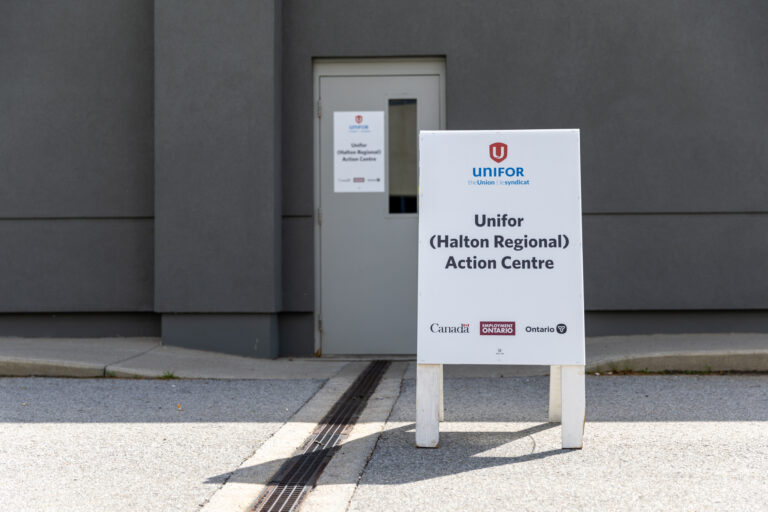
If you need assistance, remember to visit our Unifor Halton Action Centre
475 North Service Rd East
Oakville, Ontario
*Entrance to Action Centre is located at East side of Union hall
Hours of Operation: Monday through Friday (excluding holidays) 8:00 am to 4:00 pm
In Solidarity,
Paul Ivey
Unifor Local 707 Benefit Rep
Tim Batke
Unifor Local 707 Alternate Benefit Rep
Mark Sciberras
Unifor Local 707 President