
How to Add the Unifor Local 707 Progressive Web App on iPhone or iPad (iOS)
PWAs on iPhone or iPad (iOS) must be installed using Safari
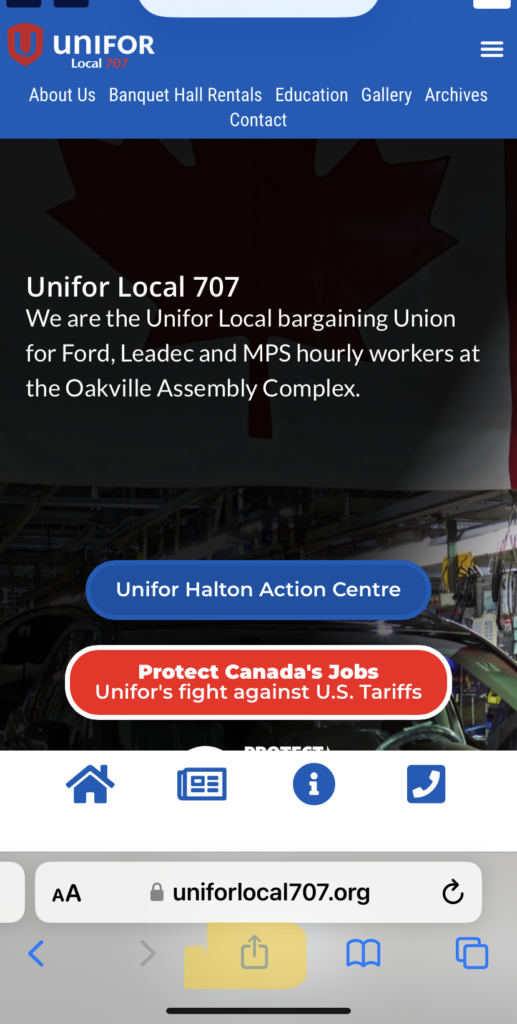
- Open Safari on your iPhone.
- Visit uniforlocal707.org.
3. Tap the Share icon (a square with an upward arrow)
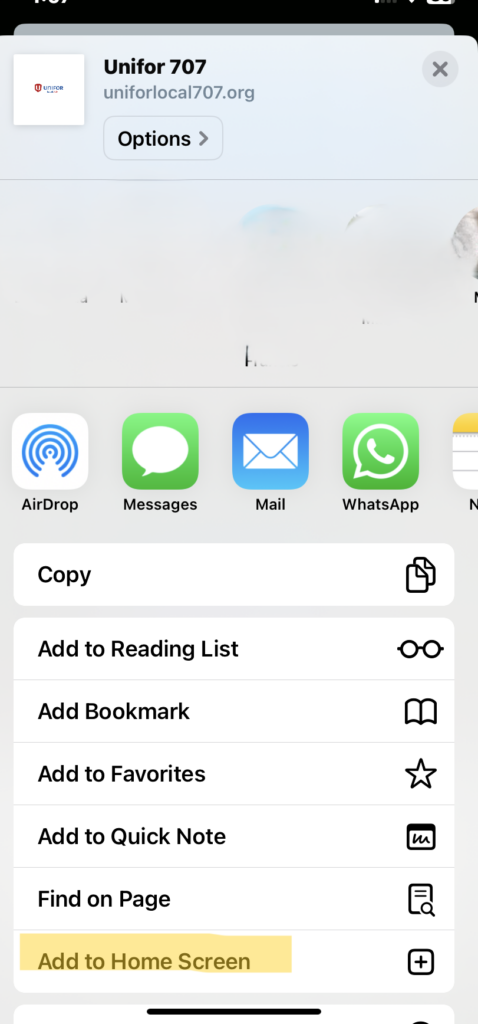
4. Scroll down and tap Add to Home Screen.
5. Tap Add in the top-right corner.
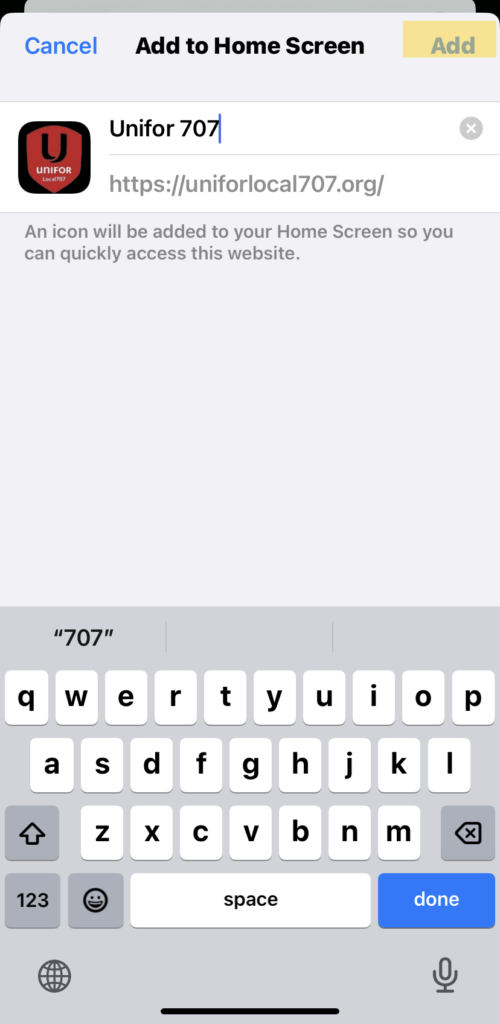
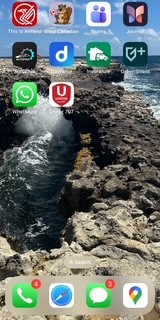
6. The Unifor Local 707 app icon will now appear on your home screen.
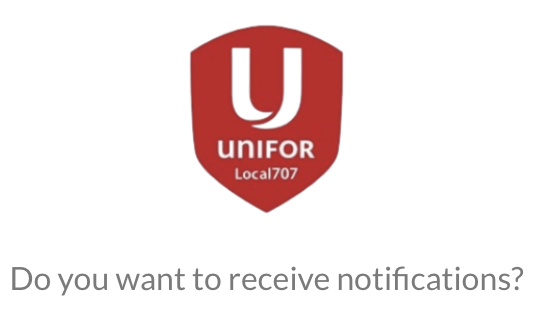
7. Tap on the Unifor Local 707 app icon then follow the prompts: Do you want to receive notifications? Tap Orange Continue button

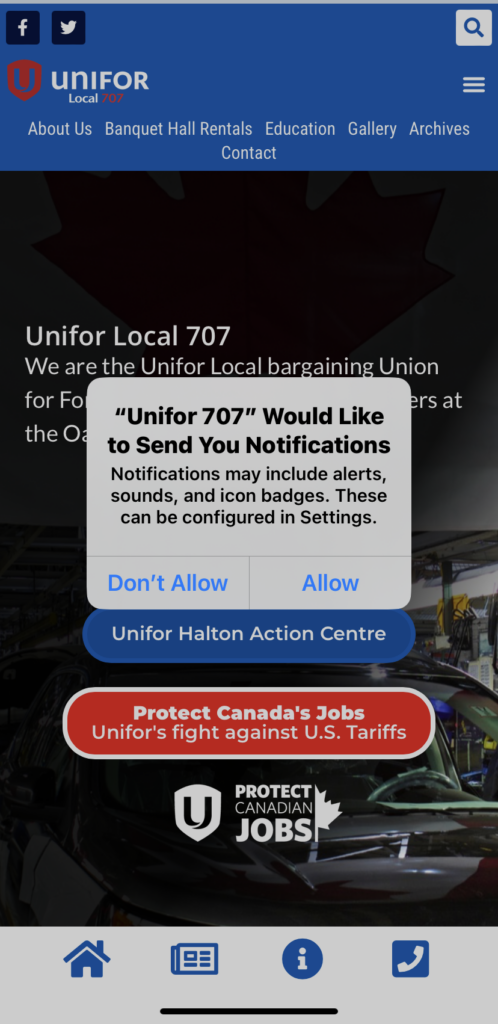
8. You will then be asked “Unifor 707” Would Like to Send You Notification. Tap Allow. You are now registered for push notifications allowing you to quicky receive the latest news and important information from our Local.
How to Add the Unifor Local 707 Progressive Web App on Android phone
- Open Chrome on your Android phone.
- Visit uniforlocal707.org.
- Wait a moment — a prompt may appear at the bottom saying: “Add Unifor Local 707 to Home screen.”
- If you don’t see the prompt:
- Tap the three dots menu (⋮) in the top-right corner or three lines menu at the bottom right corner
- Tap Add to or/and then Add to Home screen.
- Tap Add again to confirm.
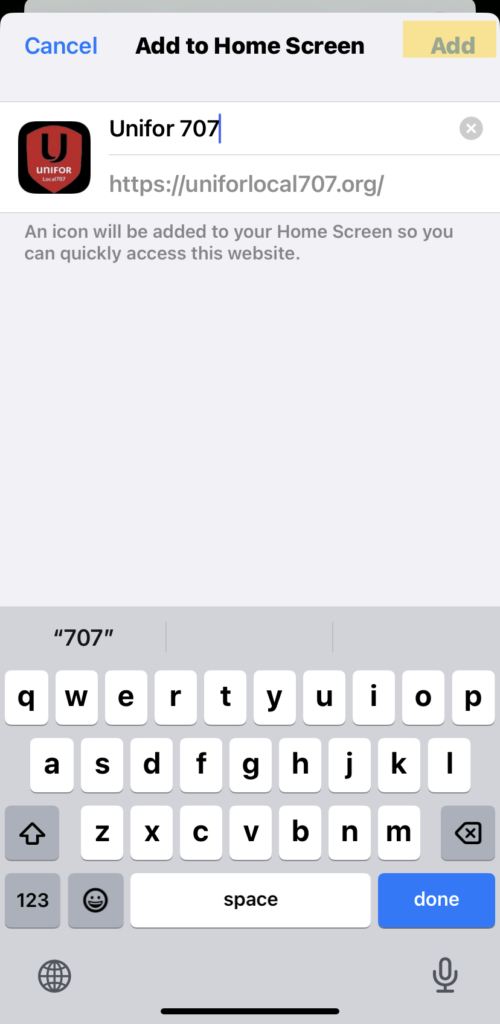
6. The Unifor Local 707 app icon will now appear on your home screen.
7. Tap on the Unifor Local 707 app icon then follow the prompts: Do you want to receive notifications? Tap Orange Continue button
8. You will then be asked “Unifor 707” Would Like to Send You Notification. Tap Allow. You now have our Progressive Web App and you will receive push notifications from our website- receiving important information, and news about Local events.
In Solidarity,

Mark Sciberras
Unifor Local 707, President